

Get the Real Scoop on Google Search Console

Have you ever noticed that some websites seem to score high in search results even when you pour your best efforts into quality content, strong backlinks, and careful structure? You might be doing everything right, yet your site still struggles. The secret could lie in the details revealed by Google Search Console. This tool shows you exactly how Google sees your website and where you can make improvements.
"The missing piece might be hiding in plain sight within Google Search Console," offers a clear hint that the answers to your ranking challenges are right at your fingertips if you know where to look.
At SeoFlow, we have helped many businesses boost their search performance by making smart use of Google Search Console data. This free tool is more than just another analytics dashboard – it is a direct line from Google that gives you invaluable insights to power up your content planning and keyword strategies. The real challenge is not collecting the data, but understanding and acting on it.
| Tool | Where Data Comes From | Best Feature | What It Lacks |
|---|---|---|---|
| Google Search Console (GSC) | Direct data from Google | Full view of search queries, indexing status, and Core Web Vitals | Works only for sites you verify |
| Third-Party Rank Trackers | SERP scrapes & data panels | Snapshot of competitor standings and SERP volatility | May not update in real-time |
| Traditional Web Analytics (e.g., GA4) | On-site user behavior | Deep insights into user engagement and conversion | Does not explain why users come via search |
Why Google Search Console Still Counts in 2025
Google Search Console is now a must-have tool. As search algorithms change more often, it helps you see exactly how Google views your site. It gives you up-to-date data on your organic performance, shows any crawling or indexing issues, and even alerts you about penalties that might be lowering your rankings.
Many website owners only take a peek at Google Search Console when problems arise. The best strategies, however, include checking it regularly as part of a comprehensive data-driven approach. This routine lets you spot issues early, understand user patterns better, and uncover new opportunities before they slip away.
By making a habit of reviewing its data, you can identify high-potential keywords and troubleshoot technical issues before they hurt your position. Using this tool consistently turns raw numbers into a clear plan of action that helps improve your site's overall visibility.
Overcoming Hurdles with Google Search Console
Even though Google Search Console is a fantastic resource, many users find it hard to pull out actionable tips from the data. The dashboard may look busy with many metrics and reports, and it isn’t always obvious which details to focus on. Even seasoned marketers can miss the key signals that could drive a boost in organic traffic.
Another common issue is bridging the gap between data and knowing exactly how to fix a drop. It is one thing to see a decline in your click-through rate and another to understand how to reverse it. This gap often leaves website owners wondering why so much information is collected without leading to improved search rankings.
This guide is here to help you make sense of Google Search Console. We break down the complex parts into clear, step-by-step advice that anyone can follow, no matter how familiar you are with tech. By the end, you will have a solid roadmap to turn raw data into smart, traffic-driving decisions.
Whether you’re new to Google Search Console or looking to get more from it, this guide will help you turn a confusing dashboard into your best SEO ally for a winning 2025 strategy.
Getting Rolling with Google Search Console: A Starter Guide

Every website owner should take advantage of Google Search Console, yet many miss its true potential. At SeoFlow, we see this free platform as a real game changer for site performance. Whether you are just starting out in SEO or looking to refine your tactics, this guide will walk you through the basics of Google Search Console (GSC) and help you build a strong foundation for your site's search presence.
"Google Search Console offers an invaluable direct line to how Google views your website." Hold onto that idea, and every metric can guide you to smarter tweaks.
Why Google Search Console is a Must-Use
Google Search Console gives you a direct look at your site from Google's eyes. Unlike other SEO tools that guess your performance, it delivers verified data straight from the source. This clear view lets you see which keywords send traffic to your site, which pages shine, and where problems may be lurking.
One big win of using GSC is its alert system. It warns you about issues like mobile usability or security risks before they harm your rankings. These notifications help you address potential SEO roadblocks quickly, and spotting indexing issues early can save you from major traffic drops.
GSC’s performance reports are essential for tracking how well your SEO efforts are working over time. By monitoring click-through rates, ranking shifts, and impression counts, you get a compass that points you toward where to focus your content and optimization efforts for maximum benefit.
Setting Up Your Google Search Console Account Like a Pro
Getting started with Google Search Console is easier than you might think. First, visit search.console.google.com and log in with your Google account. If you don’t have one, sign up – it’s free and only takes a minute.
After you log in, you must prove that you own your website. Google gives you a few different ways to do this:
- HTML file upload – Upload a special file to your website's root folder.
- HTML tag – Insert a meta tag into your homepage code.
- DNS record – Add a TXT record to your domain's DNS settings.
- Google Analytics – Connect using your existing Analytics account.
- Google Tag Manager – Link through your Tag Manager account.
| Verification Method | Skill Needed | Setup Speed | Best For | Additional Info |
|---|---|---|---|---|
| HTML file upload | Moderate (FTP access) | Fast | Developers or those with file access | No coding edits needed |
| HTML tag | Low (copy-paste) | Fast | Marketers using a CMS | Must remain in the <head> section |
| DNS record | Varies (domain registrar) | Moderate | Sites without file access | Updates might take a few hours |
| Google Analytics | Low | Instant | Sites already using GA | Requires edit permissions |
| Google Tag Manager | Low | Instant | GTM-enabled websites | Ensure the container is published |
For most people, we suggest using the HTML tag method if you can tweak your site’s code or linking through Google Analytics if you’re already set up with it. These methods tend to be the easiest and most hassle-free.
Once your site is verified, give Google Search Console a few days to collect meaningful data. Use this time to learn the dashboard and explore the different reports. Pay close attention to the "Overview" tab, which shows your site's performance and flags any major issues. Setting up regular email alerts keeps you in the loop without having to log in every day.
Exploring Your Dashboard: What You Need to Know
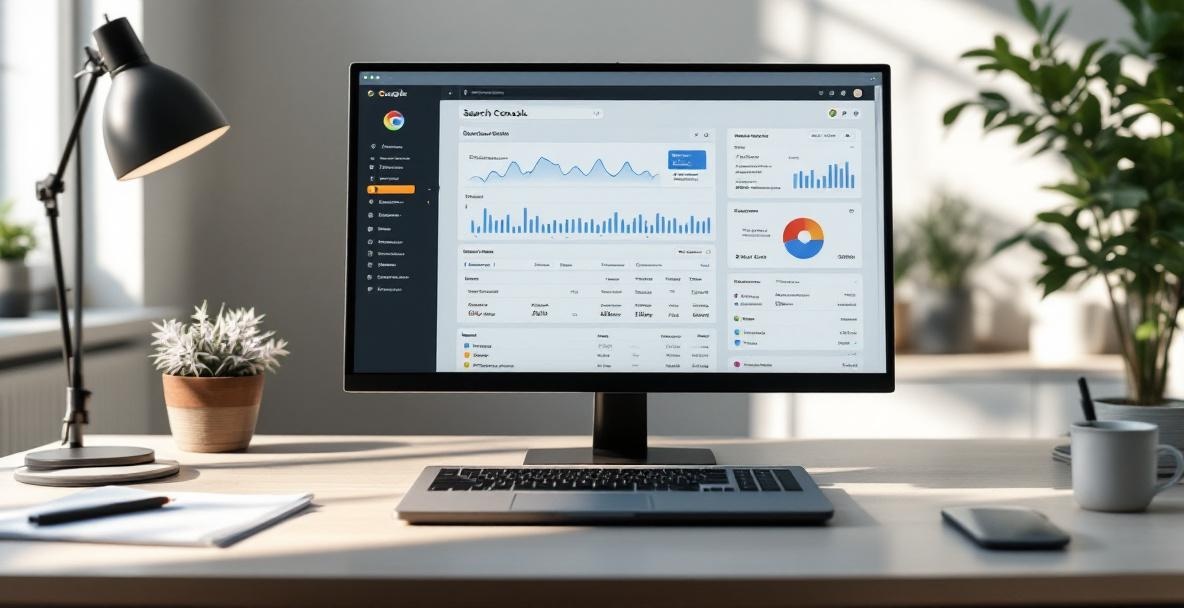
When you open Google Search Console, you’ll be met with a dashboard filled with charts and numbers. It may seem crowded at first, but don’t worry – we have helped many businesses sort through this information. Think of it as a window into how visitors find and use your website. We will break down the key parts so you can use this data to drive real growth.
"The dashboard isn't just a collection of random charts and numbers; it's your window into how users find and interact with your website." Let that sink in, and every chart will tell you its own story.
Grasping the Main Numbers
The Performance report is where you get to see the main numbers. There are four key metrics: clicks, impressions, click-through rate (CTR), and average position. Think of clicks as the visitors who choose to view your content. Every time your site shows up in a search result, that counts as an impression, whether someone clicks or not.
CTR tells you the fraction of impressions that turn into clicks. In short, it shows how attractive your search snippets are. If the CTR is low, your title or meta description might need a refresh to better draw in visitors. The average position shows you where your pages stand in search results – while it’s tough to always hit the top spot, trends in this number reveal if your SEO work is paying off.
What makes these numbers powerful is not just observing them on their own but understanding how they relate to each other. For example, many impressions paired with few clicks may mean your topic is strong but your headline could be more engaging. Tracking these trends over time helps you shape a smarter content strategy and determine which pages to improve first.
Fixing Common Errors Without Getting Overwhelmed
The Coverage report is your go-to spot for spotting technical problems. Don’t stress if errors appear – even well-run sites face hiccups now and then. The key is to handle issues step by step. Start by addressing items marked as Error because they prevent Google from properly indexing your pages. Typical issues include server errors (5xx), missing pages (404s), and pages blocked by your robots.txt.
| Status in Coverage Report | What It Means | First Action to Take |
|---|---|---|
| Error | A page cannot be indexed due to a serious issue | Fix the most important URLs first, then recheck in GSC |
| Valid with warnings | Page is indexed but shows minor issues | Look at the warnings and address them if possible |
| Valid | Page is indexed successfully | Keep an eye on it for any future changes |
| Excluded | Page is left out of the index on purpose or automatically | Confirm that this exclusion is what you intended |
Then, check the items listed as Valid with warnings. These pages are in the index despite showing small problems – for example, a page might still have a noindex tag that was meant to be removed. Similarly, the Excluded category lists pages that Google has purposefully left out, which is fine for pages like thank-you notes or duplicate content.
Tackle these issues in batches instead of trying to fix everything at once. We have found that focusing on high-priority pages first works best. For instance, repair errors on your most important landing pages before addressing lower-traffic archive pages. Use the "Validate Fix" option so Google will re-crawl the pages to confirm your corrections. This proactive approach shows Google you are on top of maintenance and helps push your rankings up over time.
Digging Deeper into Your Performance Data

Your performance report hides valuable secrets that can shift your SEO from guesswork to smart decisions. Now that you are familiar with the dashboard, it’s time to dive deeper into the numbers that matter. Many website owners do not take full advantage of the rich insights in Google Search Console, but those insights can really power up your strategy if you know what to look for.
Finding Big Opportunities in Your Data
The Performance report is like a treasure chest for SEO. Start by checking the CTR across different queries and pages. Often, we discover that pages with high impressions but low clicks are ready for improvement. This shows that while Google considers the topic relevant, your title or description might need a boost to become more engaging.
Then, look closely at your ranking trends for key search terms over time. Avoid relying solely on an average position. If a keyword hovers between positions 11 and 15, you are so close to the first page that a small adjustment could bring it up, potentially driving much more traffic. These borderline keywords can be the easiest wins compared to fighting for highly competitive terms.
Also, compare how your site performs on desktop versus mobile. Since more people browse on mobile devices, any significant difference in ranking might signal a mobile usability issue. Check your page speed and mobile usability reports to pinpoint problems. A focused, data-driven approach here often beats making broad changes without clear direction.
Insider Tips for Getting the Most From Your Site
One tip we love at SeoFlow is using the date comparison feature to spot seasonal trends. Look at your data from now compared to the same time last year. This lets you plan content updates or campaigns before a seasonal peak hits, so you are ready when traffic surges.
Another smart move is to review the Countries report if you aim to reach a global audience. This report shows where your content is already resonating, even if click numbers are low. Such regions might be ripe for localization and targeted efforts. Our advanced SEO techniques have helped many clients expand their reach internationally.
Finally, blend your Google Search Console data with other analytics tools for a full picture. While Search Console provides insight into how Google sees your pages, other tools reveal how visitors interact once they arrive. Export your data and combine it with additional insights to find pages that attract visitors but lose them quickly. This holistic view is key to crafting a content strategy that not only draws traffic but also keeps people engaged.
Google is always fine-tuning its search results to be more user-friendly, which makes your performance metrics even more critical. Recent updates, including the integration of Search Console Insights into the main dashboard, have made it easier to understand your content performance at a glance.
Wrapping Up: Your Route to Better SEO Performance
We have now looked closely at Google Search Console and learned how it can boost your site’s performance in 2025. This powerful tool delivers clear insights-from tracking click-through rates to spotting technical snags-that can transform your SEO strategy. The key is to build a habit of checking these reports regularly and acting on what you discover.
Keep in mind that SEO is a long-term journey. It involves staying alert to small issues and adjusting your approach as search trends change. By making Google Search Console a regular part of your workflow, every piece of data can lead to smarter decisions and steadily rising rankings.
Putting Your Knowledge to Work
Now that you understand how Google Search Console works, it’s time to put your new knowledge into action. Begin with a weekly review of your data and pay close attention to the metrics we discussed. Notice which pages and keywords perform best and let that guide your content strategy.
Don't forget about the technical side of your site either. Regularly check your Core Web Vitals and other indicators that impact user experience and ranking. Addressing these issues early can give you a significant edge over competitors. For more ideas on how to balance your content and technical optimizations, check out our guide on advanced SEO techniques.
Create a clear plan that prioritizes fixes based on the insights you gather. Focus first on improvements that bring big rewards with little effort, such as optimizing a popular page or mending broken links. This careful, step-by-step approach builds a stronger SEO foundation over time.
Growing Your SEO Wins
Once you feel more comfortable with Google Search Console, you may find yourself eager to scale your SEO efforts further. Connecting your insights with other tools can streamline your workflow and boost effectiveness, allowing you to work smarter and let data drive your decisions.
We know that many website owners struggle to find the time to turn these insights into real changes. That’s why SeoFlow developed automated content optimization features to help bridge the gap between data analysis and action. With these features, every piece of content is fine-tuned based on actual search behavior, ensuring it performs as well as possible.
Remember, true SEO success isn’t about one-time fixes – it’s about building a reliable, ongoing system. Integrate your Google Search Console know-how into daily routines that grow along with your business. With persistence and clear systems in place, your data will lead to lasting success.
Ready to transform your GSC insights into tangible traffic growth? Visit SeoFlow today to discover how our AI-driven platform can automate your content optimization process, from keyword research to publishing, all informed by your actual search performance data. Let's turn those valuable GSC insights into real business results together!